Allowing Personal Devices At Work: Understanding Your Business vs Employee Device Options.
In today’s on-demand and fast paced hybrid working world, drawing the line between allowing personal devices at work to business-only supplied device usage can be more blurred than ever.
From ‘jumping on’ a personal phone to reply to a work email or sending a business social media post; to paying an invoice or reconciling your bank account, it is important to understand the potential outcomes of connecting personal devices to the internet, outside of business secure environments and recommended protocols.
Businesses amass and host an incredible amount of data that has to be protected to ensure compliance with GDPR (general data protection regulations 2018). There are also specific compliance considerations for regulated industries and processes.
While convenience has never been higher, so too are the risks to your IT infrastructure being attacked. For any business, small and large, it is important to keep your business secure and where allowing personal devices at work to access your network, you ensure secure rules are put in place.

Day To Day Examples Demonstrating Why Businesses Must Take Device Security Seriously
Modern business operations are deeply embedded in mobile tech, flexible working, and online data platforms. But with convenience comes responsibility.
Without the right controls in place, staff may:
· Access confidential files from unsecured public networks.
· Share data via unapproved apps or platforms.
· Leave devices unattended or logged in around others.
These habits increase the risk of a data breach, which can result in fines, lost client trust, and damaged reputation.
Understanding the terminology around personal and work-issued devices is the first step to minimising and tackling vulnerabilities.
In this article, we explore five key device management tools every business owner, IT manager or operations manager should know. If you haven’t already, now is the time to start making informed decisions to keep your network and data safe.
5 Considerations & Alternatives To Allowing Personal Devices At Work
1. BYOD: Bring Your Own Device
BYOD refers to the practice of employees using their own smartphones, tablets, or laptops for work purposes. It became especially common during the shift to remote working during the pandemic (2020 – 2021) but still remains common place today in many businesses.
While it reduces hardware costs for the business and increases flexibility, BYOD also poses security risks, particularly if personal devices lack antivirus protection, encryption, or basic patch updates.
For example, if an employee uses their own mobile to access company cloud storage while also using it to browse unsecured websites or social media apps, your business data could be exposed.
To keep your business secure with multiple devices, a clear BYOD policy should include approved devices, required security apps, and what to do if a device is lost or stolen.
2. MDM: Mobile Device Management
MDM refers to software solutions that allow a company to remotely manage, monitor, and secure mobile devices used for work.
Whether the device is company-owned or part of a BYOD scheme, MDM allows IT teams to:
· Remotely wipe data if the device is lost.
· Enforce security settings such as PINs or biometric log-ins.
· Control app permissions and usage.
MDM helps reinforce keeping your business secure with multiple devices, even when employees are working off-site, on home Wi-Fi networks or public hotspots.
By investing in MDM tools, businesses can offer flexible working for employees without compromising data security.
Outdated technology isn’t just slow—it’s a security risk. Old operating systems, unmanaged personal devices, and missing updates create vulnerabilities that hackers love to exploit.
3. VPN – Virtual Private Network
VPNs are now an all important part of secure remote working. A VPN creates a secure tunnel between the device and the company’s internal network, encrypting all data traffic to prevent interception.
A remote worker accessing company systems via free Wi-Fi in a café, hotel, bar, or business centre is highly vulnerable to cyber threats like man-in-the-middle attacks, where hackers intercept data being transmitted over unsecured networks.
Encouraging (or enforcing) VPN usage is one of the easiest ways to keep your business secure when employees are working away from company premises and a secure internet connection. VPNs ensure that even when working on the go, your team is accessing systems through a secure, encrypted connection.
4. COPE: Corporate-Owned, Personally Enabled
COPE is the opposite of BYOD. Here, the company provides the device (e.g. phone or tablet), but allows personal use to some extent.
This strikes a balance between employee flexibility and IT control. The device remains in your company asset register, can be configured with MDM tools, and supports consistent policy enforcement.
For example, an employee might use their company issued phone to post on personal social media outside working hours, but the business still retains control of the device’s security settings and data access.
When looking to keep your business secure with devices, COPE offers a controlled environment while recognising the real-world habits of your team.
5. DLP – Data Loss Prevention
DLP refers to a suite of tools or protocols designed to prevent sensitive information from being leaked, whether by accident or malicious intent.
DLP systems can monitor emails, USB connection activity, file uploads, and cloud storage behaviour. This is especially important when:
· Employees work from shared spaces or travel.
· Data is stored across multiple cloud platforms.
· Team members use personal email or unauthorised cloud drives.
DLP keeps your business secure by monitoring usage patterns and flagging suspicious activity before a data breach occurs.
Take Action: Practical Steps To Keep Your Business Secure
Here are some immediate actions you can take:
-
- Separate your internet access networks so that only authorised devices can access.
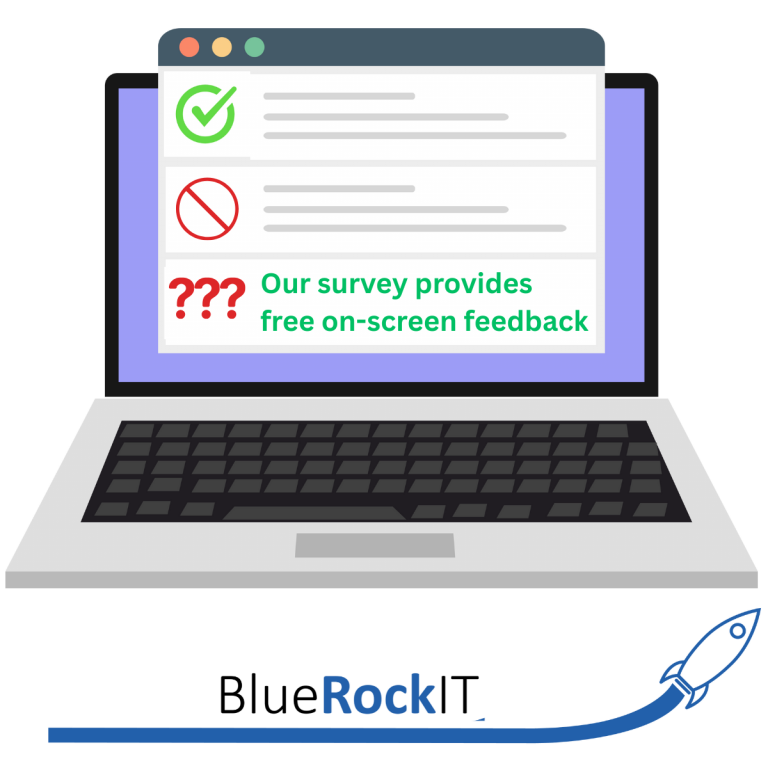
- Audit current devices in use across your business using our BlueRock IT Health Check with practical advice and suggestions on-screen.
- Ask us for VPN provider recommendations and enforce VPN usage for all remote staff.
- Ask us for MDM software suggestions and deploy to manage work devices.
- Create a clear BYOD and COPE policy. You can get these from HR providers and we can recommend providers to you.
- Provide only business issued devices employees. At BlueRock IT we can provide you with secure business issued laptops and mobile devices.
- Ask us about our DLP solutions to track and prevent data leaks.
Allowing personal devices at work isn’t just an IT issue; it’s a strategic business priority to set rules and protocols in place.
Whether you’re a sole trader or managing a team of two to hundreds, securing your devices will help you stay compliant, efficient, and protected in a hybrid, remote working world.